> For the complete documentation index, see [llms.txt](https://docs.secure-contacts.com/llms.txt). Markdown versions of documentation pages are available by appending `.md` to page URLs; this page is available as [Markdown](https://docs.secure-contacts.com/documentation/ci-customization.md).
# CI Customization
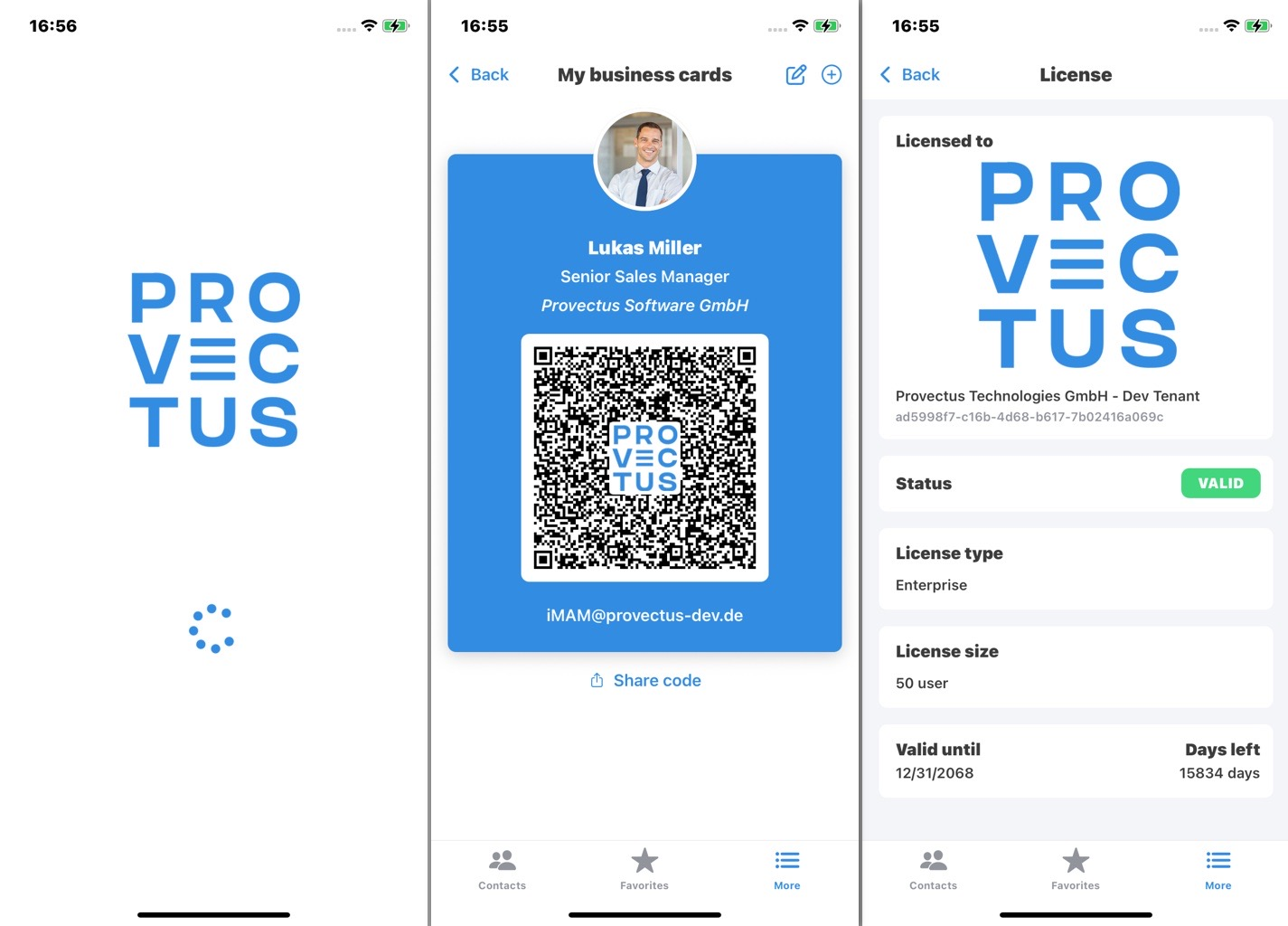
You can customize the look and feel of SCA to align with your **corporate identity**.
### Customization Options
You can adjust the following elements:
1. **Highlight color** for buttons, switches, and page elements
2. **Company logo** used across different parts of the app
{% hint style="success" %}
CI Customization is only available with an SCA Enterprise license.
{% endhint %}
## 1. Highlight Color
The highlight color defines the look of primary buttons, switches, and UI accents.
You can configure it using the following AppConfig parameters:
* `HighlightColorLightMode_Option` – set the highlight color for **Light Mode**
* `HighlightColorDarkMode_Option` – set the highlight color for **Dark Mode**
* `HighlightColor_Option` – set a **single color** applied to both Light and Dark Mode
#### Format
The color value must be provided as a **hex string** (e.g., `#FF0000` for red or `#009FE3` for blue, etc).
## 2. Custom Company Logo
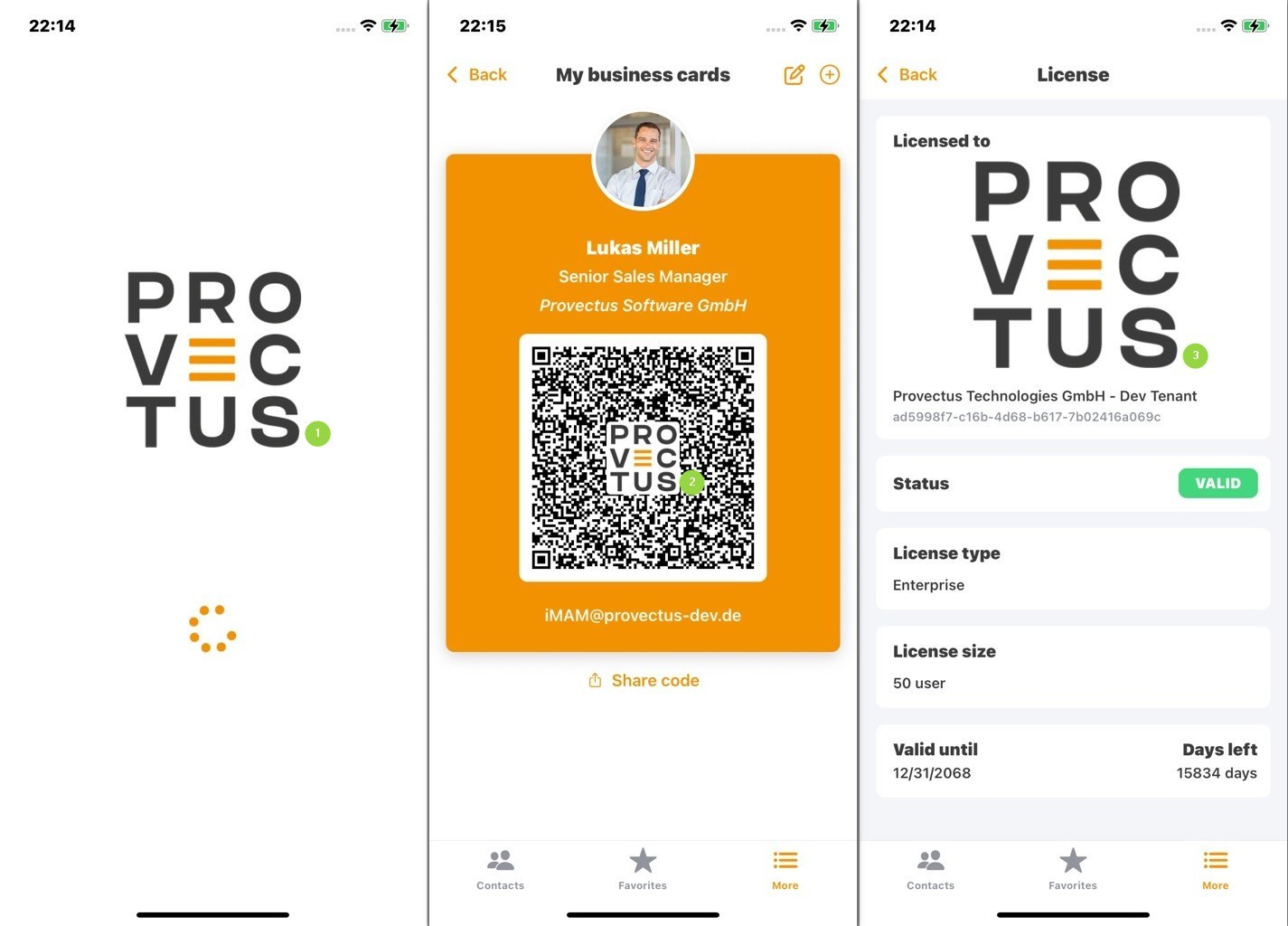
If configured, your company logo will appear in the following places:
1. **Loading page**
2. **vCard QR code**
3. **License page**
AppConfig used for this screenshot: `HighlightColor_Option` = `"#F39200"` and `CDImageUri_Option` = `"https://provectus.de/.../logo.png"`
### **Configuration**
Set your logo using the AppConfig parameter: `CDImageUri_Option`
This must be a **publicly accessible image URI** (e.g., hosted on your company’s web server).
* The app checks for a new logo **at each login**.
* If a new image URI is configured, the logo will be downloaded and cached locally.
* Once cached, the app will **not re-download** the same logo until the URI changes.
Supported formats: **JPG** and **PNG**\
Recommended: **square or rectangular PNG with a transparent background**
{% hint style="info" %}
Instructions on how to apply SCA **App Configuration** settings are available [here](/documentation/app-configuration-policy-name-values-for-sca/sca-configuration-seccontacts.defaults.md)
{% endhint %}
## 3. Optional: Logo Display Delay
You can configure how much **longer the company logo remains visible on the loading page** by using the parameter: `CDImageLoadingDelayMS_Option`
* Accepts values from `0` to `1500` ms
* The value defines the additional time (in milliseconds) that the logo stays on the loading screen before the app continues
---
# Agent Instructions
This documentation is published with GitBook. GitBook is the documentation platform designed so that both humans and AI agents can read, navigate, and reason over technical content effectively. Learn more at gitbook.com.
## Querying This Documentation
If you need additional information that is not directly available in this page, you can query the documentation dynamically by asking a question.
Perform an HTTP GET request on the current page URL with the `ask` query parameter, and the optional `goal` query parameter:
```
GET https://docs.secure-contacts.com/documentation/ci-customization.md?ask=&goal=
```
`ask` is the immediate question: it should be specific, self-contained, and written in natural language.
`goal` is optional and describes the broader end goal you are ultimately trying to accomplish on behalf of the user. GitBook uses it to tailor the answer towards what is most useful for that goal.
The response will contain a direct answer to the question and relevant excerpts and sources from the documentation.
Use this mechanism when the answer is not explicitly present in the current page, you need clarification or additional context, or you want to retrieve related documentation sections.